 LINKINFO
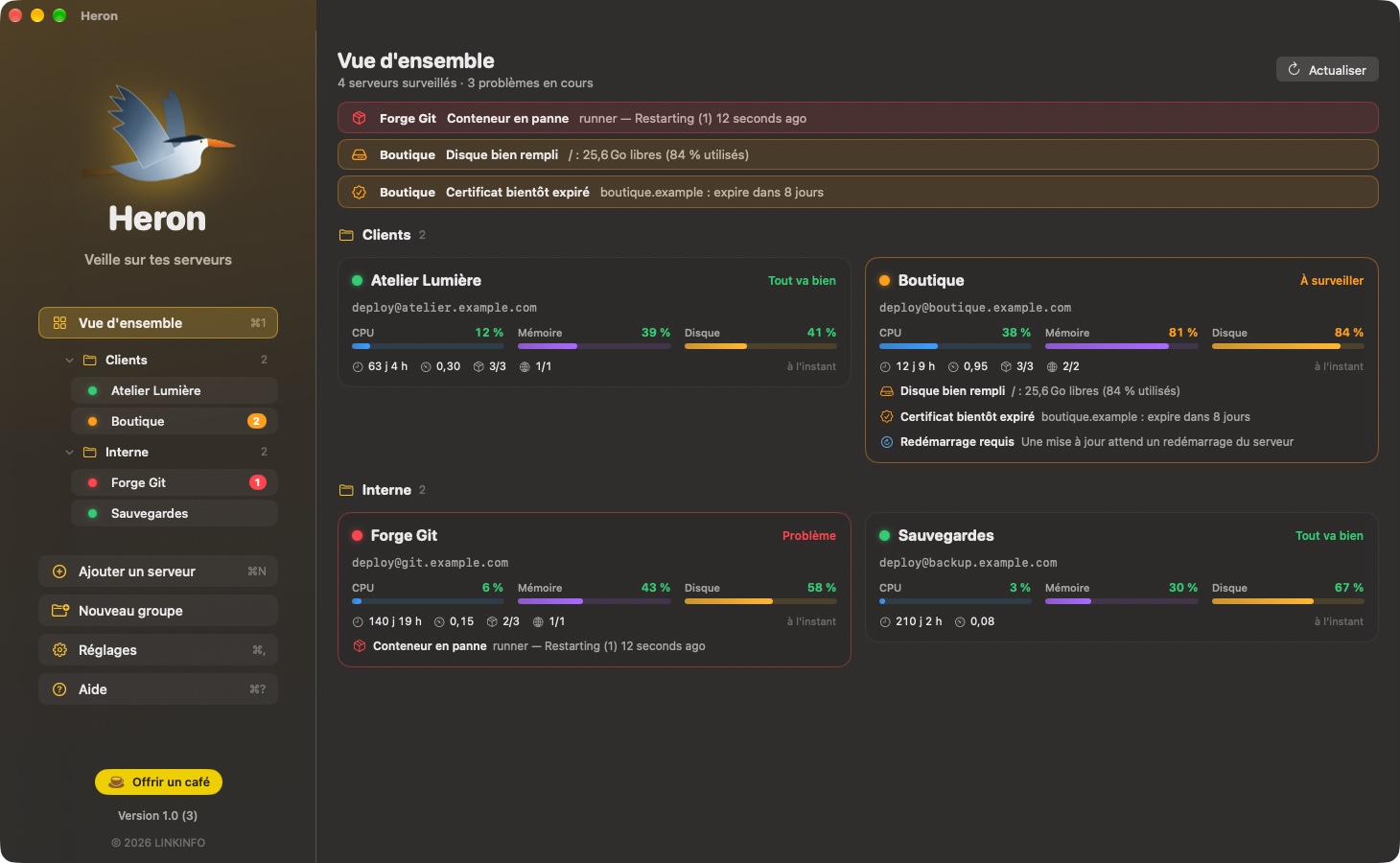
Heron connects to your Linux servers over SSH, with your key, and checks their status every minute. Nothing to install on the server: no agent, no third-party account. As long as everything is fine, the heron stays quietly in the menu bar; at the slightest issue, it shows the number of problems and sends you a notification. Heron is free, with no ads and no account to create.
What Heron does
Menu bar
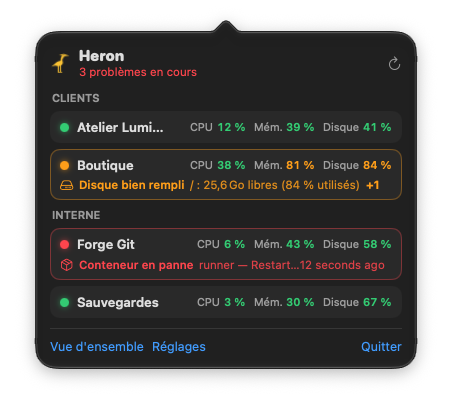
The status of all your servers, without opening a window.
- Just the heron when everything is fine; an orange or red badge and the number of problems otherwise.
- One click opens the list of servers, sorted by group, with CPU, memory, disk and the most serious problem for each.
- Click a server to open its details.
What Heron checks
A single read-only pass per server, every 30 seconds to 5 minutes.
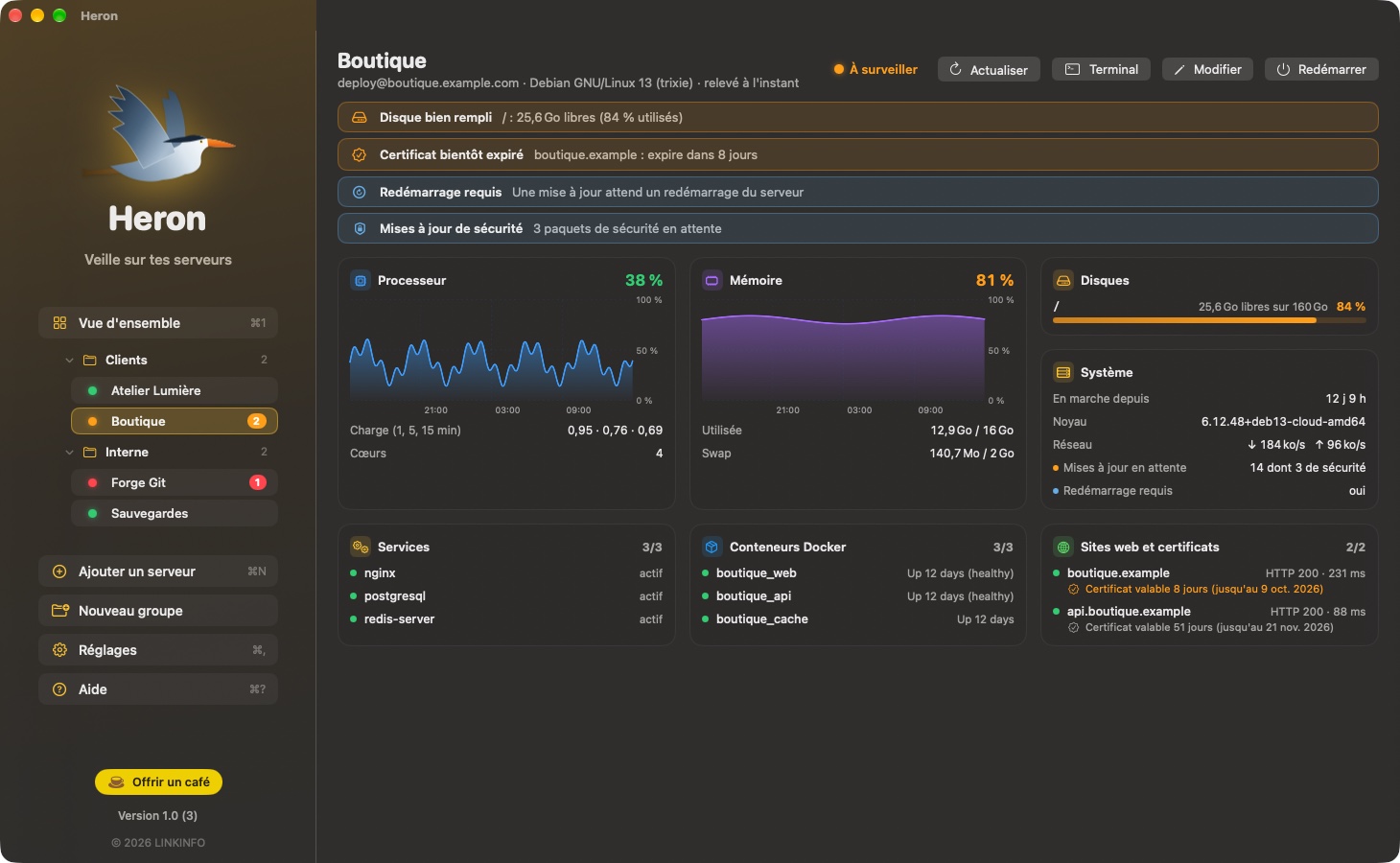
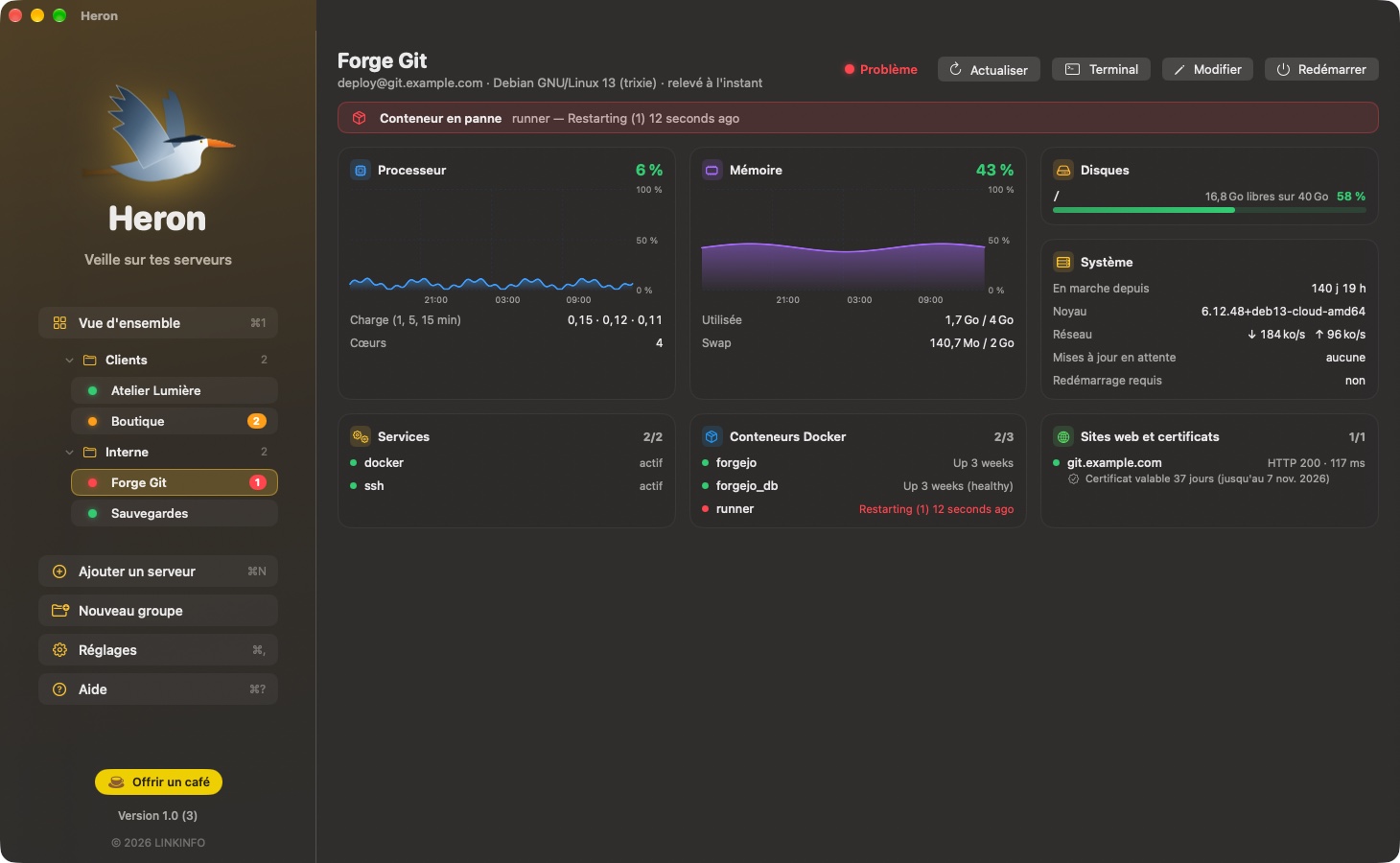
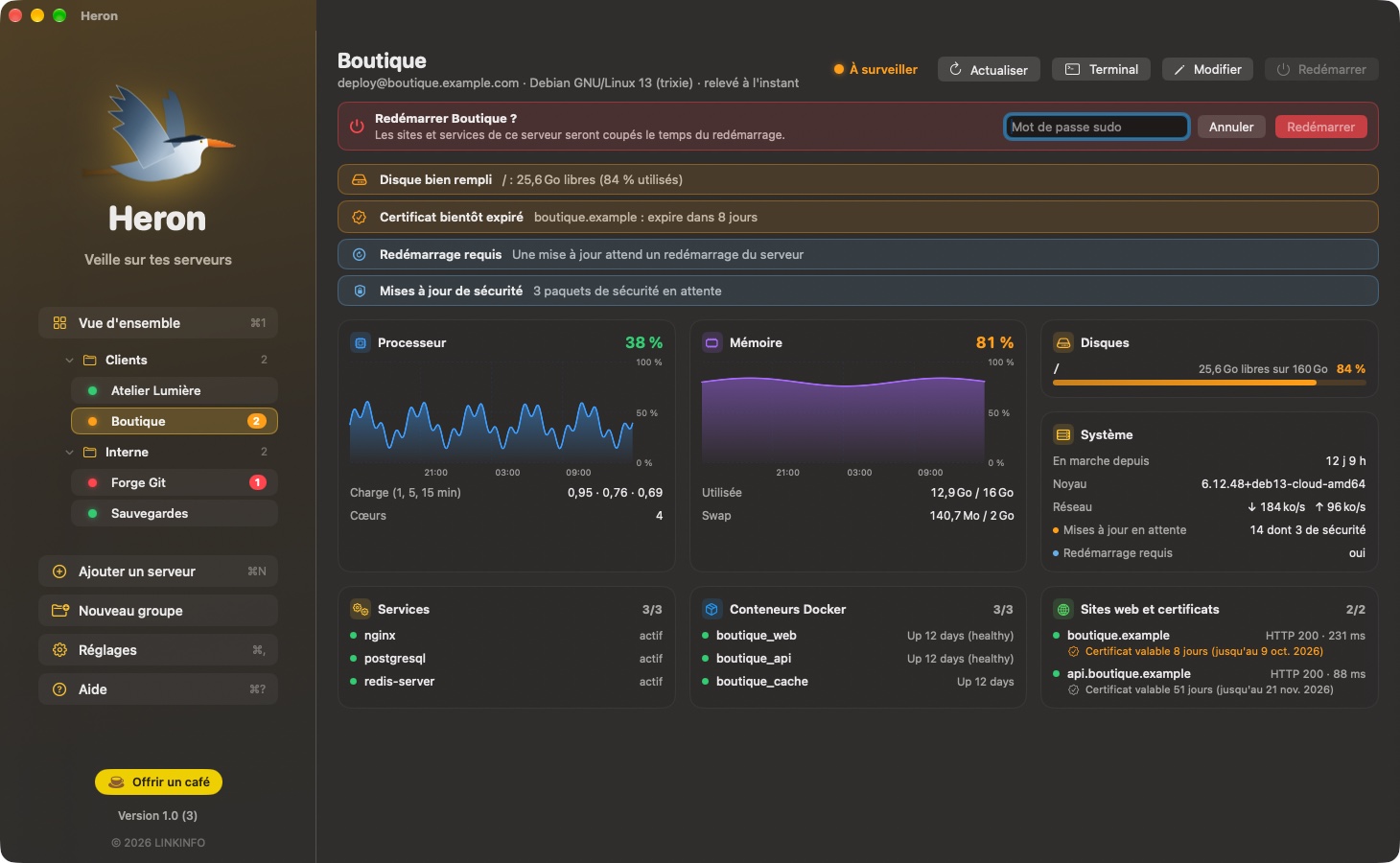
- CPU, load, memory, swap, disks and network throughput, with graphs of the last 24 hours.
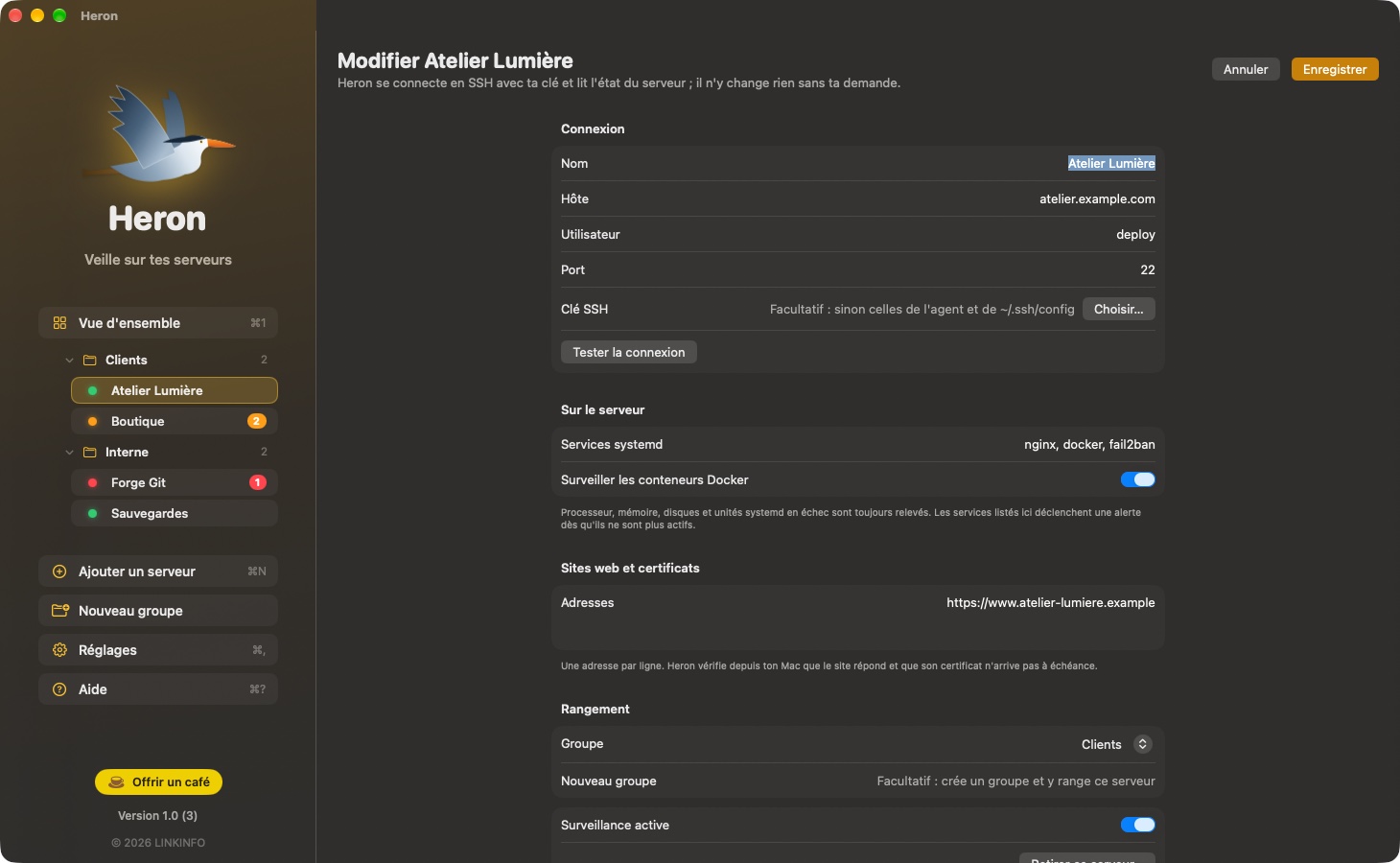
- systemd services of your choice (nginx, postgresql, docker…) and failed units.
- Docker containers: running, stopped, stuck in a restart loop or unhealthy.
- Pending updates, including security updates, and reboot required after an update.
- Uptime, operating system and kernel.
Websites and certificates
Checked from your Mac, just as a visitor would see them.
- HTTP response and response time for each address.
- Certificate expiration: alert 14 days ahead by default, adjustable.
- These checks keep running even when the server no longer responds over SSH.
Alerts
A notification when something breaks, not at every passing spike.
- Server unreachable, service down, container failing, site down: the alert always goes out.
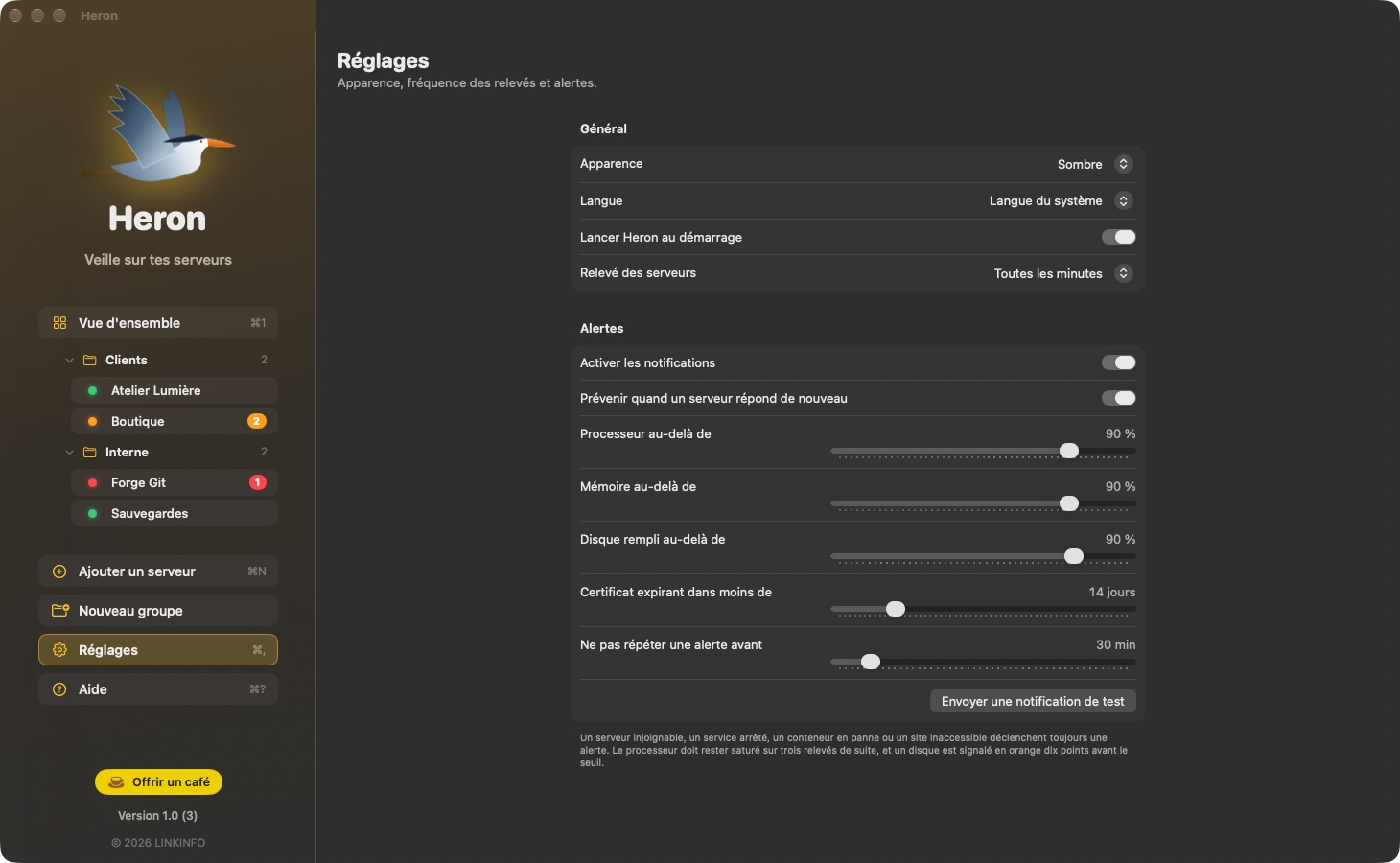
- Adjustable thresholds for CPU, memory, disk and certificates.
- A disk is flagged orange ten points before the threshold; the CPU must stay maxed out for three checks in a row.
- A notification when a server responds again, and no flood of alerts when it's your Mac that's offline.
Take action
Just what's needed, always at your request.
- Terminal: an SSH session on the server, with the same account and the same key.
- Restart the server, after confirming in the window. If sudo asks for a password, you enter it right there and it is never saved.
- During the restart, Heron holds off on alerts and lets you know when the server is back.
Organization
As many servers as you want, organized your way.
- Groups: by client, by project or by environment; drag a server onto a group to put it there.
- A collapsed group shows the most serious status of its servers.
- A server can be paused without being deleted.
And also
The details that matter.
- Heron uses macOS's ssh: it picks up your ~/.ssh/config file, your agent and the passphrases in your keychain, without storing any secrets.
- Dark (default) or light appearance, in English, French and Spanish.
- Opens at login, with a Dock icon only while the window is open.
In pictures
A coffee for what's next
Heron is free, ad-free, and will stay that way. I develop it in my spare time: every coffee helps fund the next versions, fixes and new features, and tells me the app is useful to you.
Installation
- Download the .zip fileIt unzips on its own in the Downloads folder.
- Drag Heron to ApplicationsIn the Finder, into your Mac's Applications folder.
- Open HeronThe app is signed and notarized by Apple: it opens without a warning.
Requirements
- Free, with no ads and no account to create.
- Available in English, French and Spanish: the app follows your Mac's language, or the one chosen in its settings.
- macOS 14 Sonoma or later, on a Mac with Apple silicon or an Intel processor.
- Linux servers reachable over SSH with a key. Services and restarts go through systemd; the update count works on Debian and Ubuntu.


